What you can manage
Items & adjustments
Save common work and costs, then apply markups, taxes, and fees.
Branding & templates
Set your logo and colors and choose estimate and invoice layouts.
Clients & team
Keep client records and invite members with the right role.
Tasks
Assign project or standalone work and follow its progress.
Reuse items and their costs
In Items, save a service or material with a name, description, base unit cost, default quantity, tax setting, and default adjustments. Add one item at a time or import a CSV; search the library when building estimates and invoices. The base cost is for your company, while embedded markup can produce the client-facing unit price.
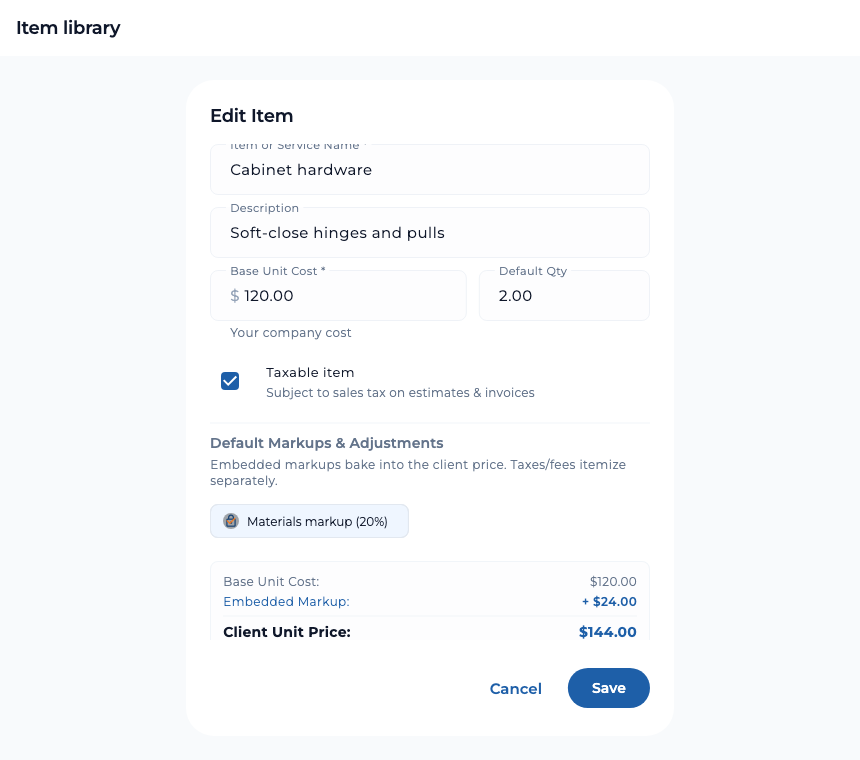
The item library is a reusable cost catalog. It does not count stock on hand or reorder materials. Projects can separately keep a running materials list for the work.
Set up markups, taxes, and fees
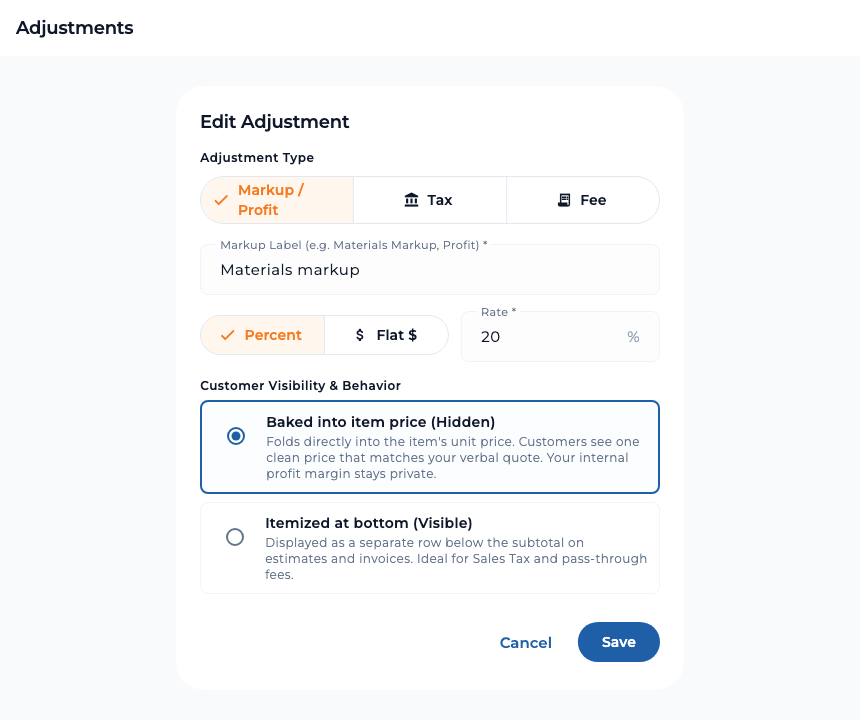
The Markups tab stores reusable adjustments. Choose a markup or profit amount, tax, or fee; set a percentage or flat amount; and decide whether it is built into the item price or shown as an itemized amount. Defaults on library items make repeat estimates quicker, and you can adjust the choices for a specific job.
Put your company on every document
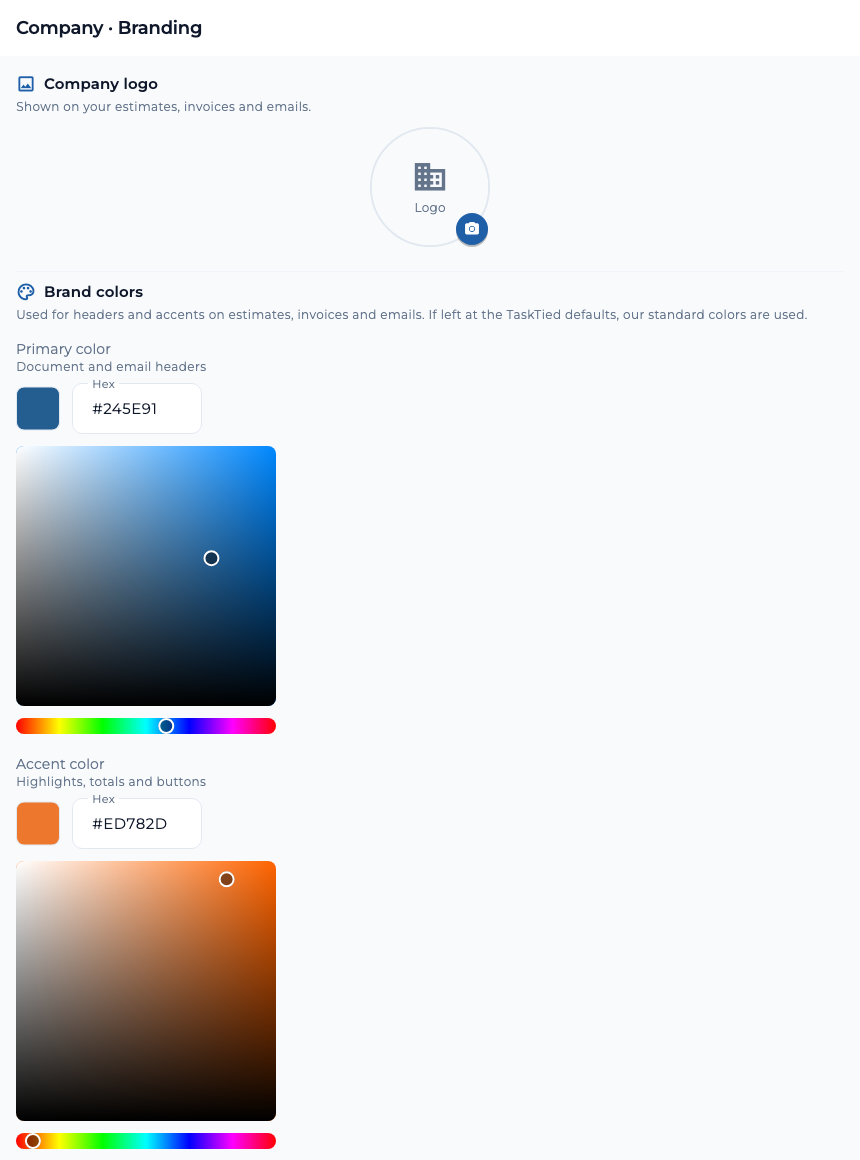
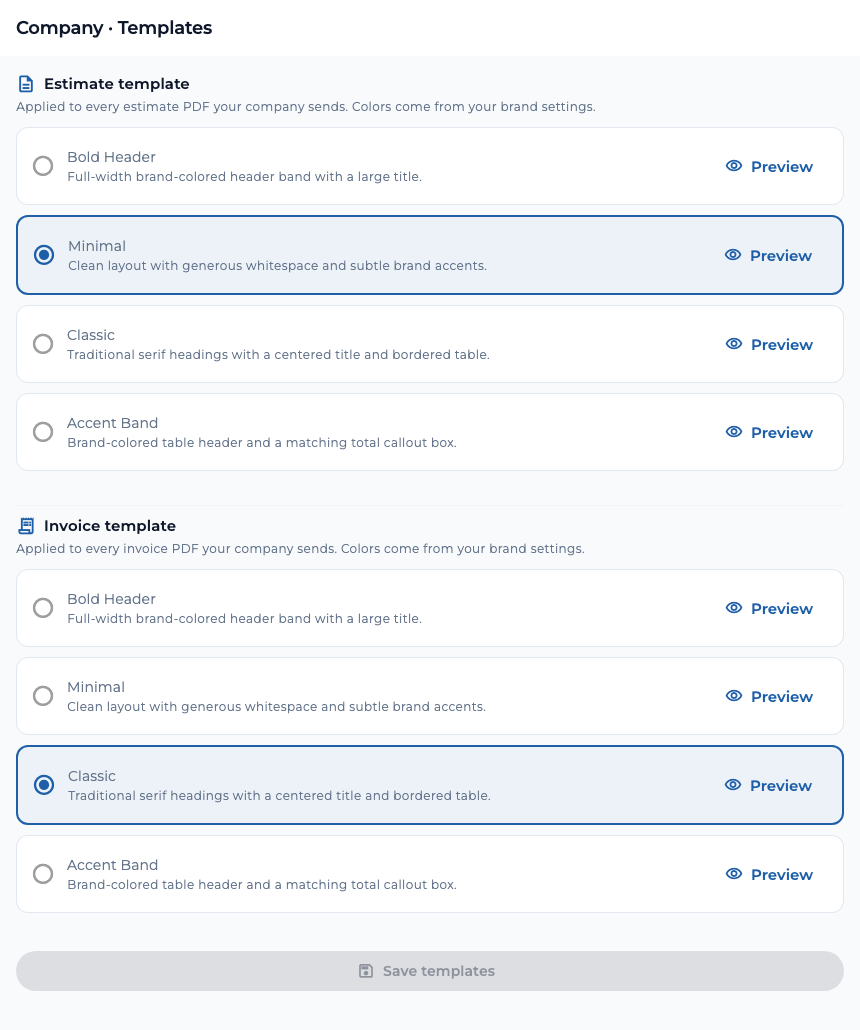
Company owners can set a logo plus primary and accent colors on the Branding tab. Those details appear on outgoing estimates, invoices, and emails. In Templates, preview the available styles and choose an estimate PDF layout and an invoice PDF layout independently. Save the selections for the company; the chosen style is used for future documents.
Owners can also set estimate defaults, such as a signature, terms link, and additional message, so the same details are ready when preparing new work.
Keep client records and project history
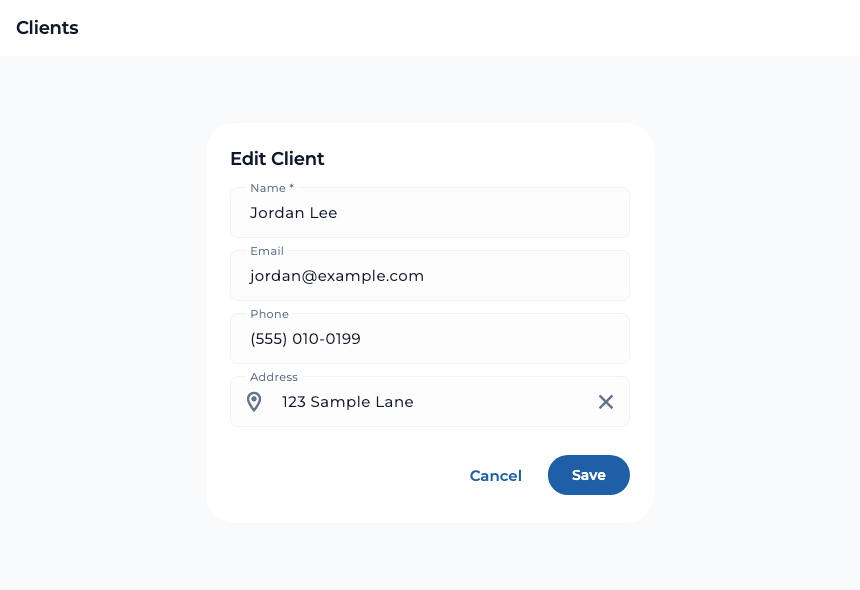
The Clients area lets a contractor add a person’s contact details, search the list, and import or export records by CSV. Open a client to see their saved information and project history, then return to a previous project when planning a follow-up.
Invite people with the right access
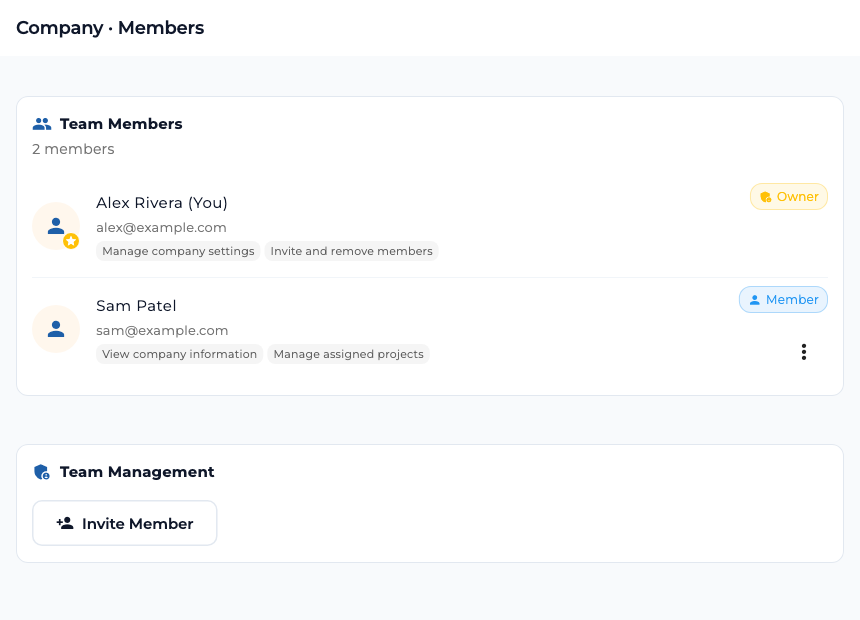
Company owners can invite teammates by email as an Owner or Member. Owners manage company settings, members, projects, and company data. Members have reduced access centered on company information and assigned projects. Owners can review pending invitations and change a member’s role later.
Track project and standalone tasks
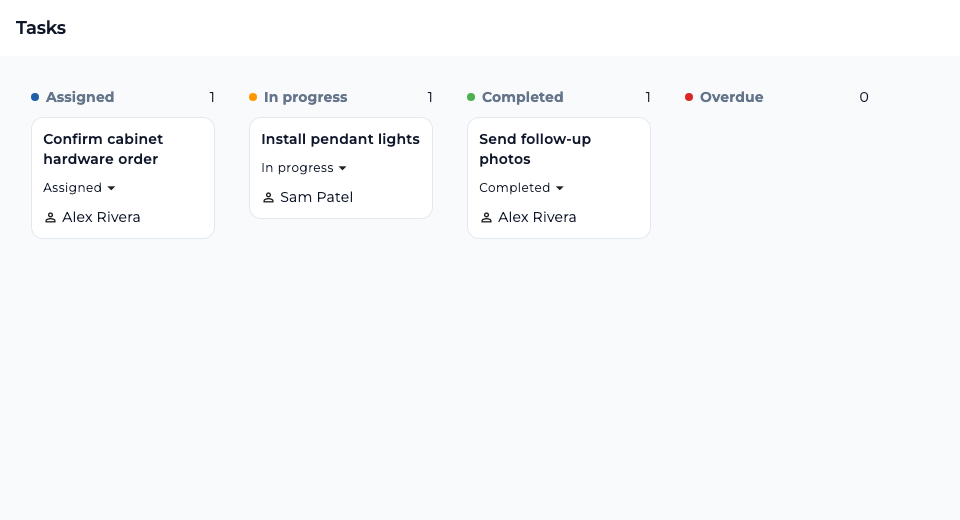
Create a task for a project or as standalone work, assign it to a company member, add a due date, and move it through Assigned, In progress, and Completed. Overdue work is visible on the same board. Filter by project or assignee, and archive completed tasks when the team is done with them.
For project work, the project page also keeps team tasks alongside updates, photos, documents, and the materials list. See Projects & changes for that shared workspace.
Simple monthly pricing
TaskTied offers a 14-day trial. After the trial, the configured plan is $10.99 per month for the first user and $2.99 per month for each additional active team member. Always 100% free for clients.