How it works
See the current state
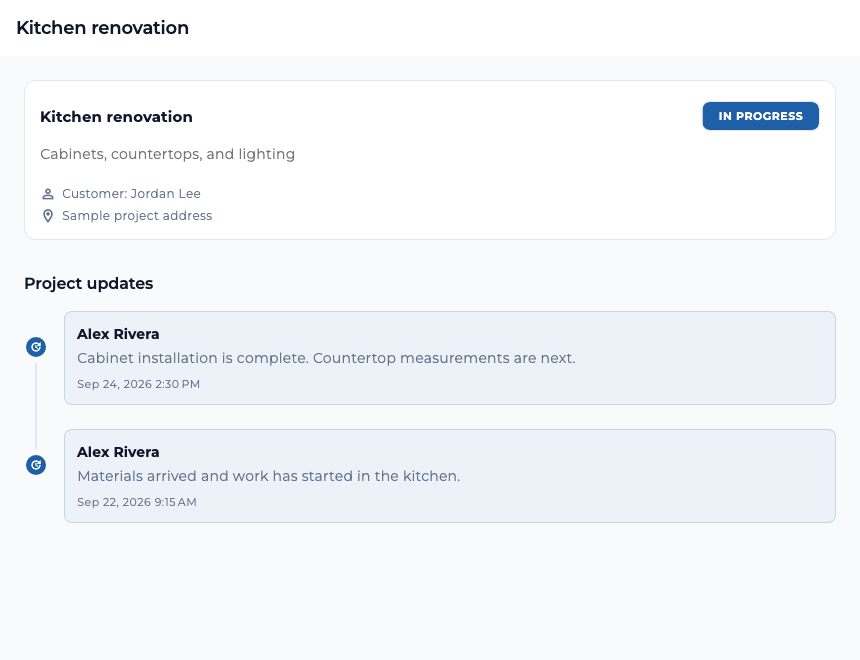
The overview shows the project status and updates from the contractor.
Keep files together
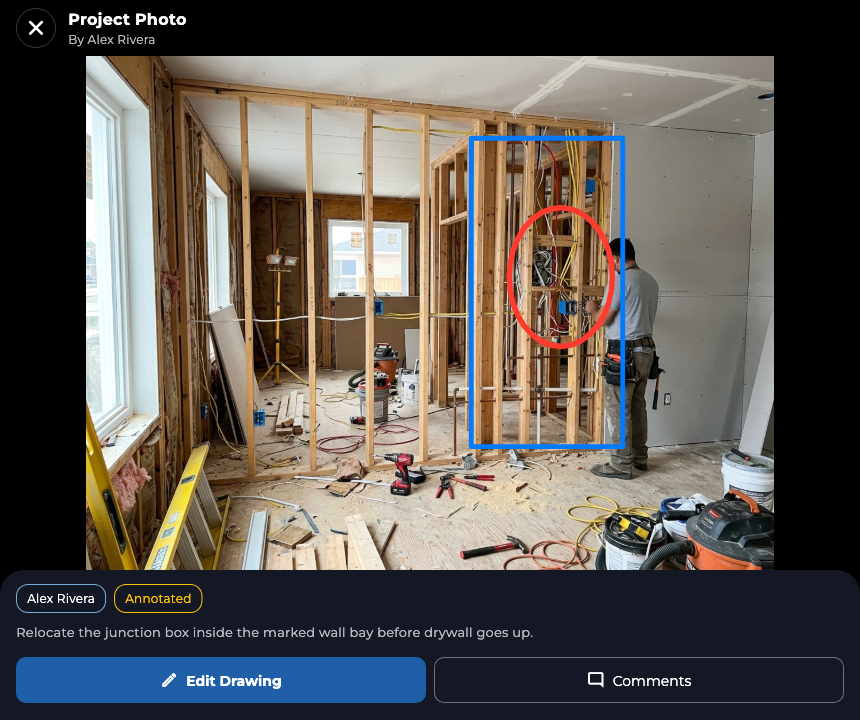
Project photos and documents have their own tabs. Photos can include a comment or drawing.
Describe what should change
A client can explain the request and attach photos for context.
Agree on the impact
The contractor can respond with a proposal showing any effect on price or timing.
See project progress
Open a project to check its current status and read updates in order. A contractor can post progress notes as work moves forward, so the client can see what has happened and what comes next. The project’s Team, Appointments, Photos, Documents, and Payments tabs keep related information close to the work.
Photos and documents
Use the Photos tab to add images to the project. When uploading a photo, you can add a comment and draw directly on the image to call attention to a detail. The Documents tab holds files and lets you add a short description when uploading. Both sides can return to the project to find the materials shared there.
Handle a change to the work
A client can submit a change request from the project overview, describe the desired work, and attach photos. The contractor reviews the request and can prepare a proposal. A proposed change can spell out its effect on the budget and timeline, giving the client a clear decision before the work changes.
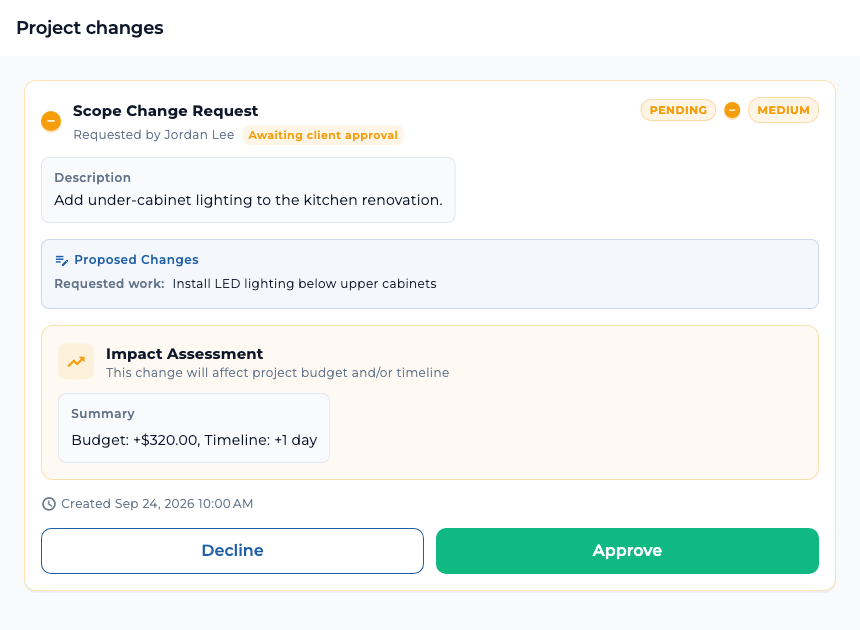
Change requests and responses remain associated with the project, so the discussion does not get lost among unrelated messages.
For contractors and their teams
Contractors can update the project status, post progress notes, and coordinate people assigned to the job. The project’s Tasks tab is for the contractor team: add work items, assign them, and track their status. Clients do not see that internal task tab.
Describe the part of the work you want to change and attach a photo when it helps. Review any proposed price or schedule impact before approving.