How it works
Build the estimate
Add items, prices, taxes, fees, and a proposed payment schedule to the project.
Share with the client
Send the estimate by email with a PDF copy and a link to review it online.
Choose a response
The client can approve, decline, or explain what needs to change.
Keep the record together
The response and subsequent changes stay connected to the project.
For contractors
Start with a job and prepare its estimate. Add line items manually or pull them from your reusable item library, which stores base costs and default markups. Apply percentage or flat adjustments for taxes, surcharges, discounts, and markups. You can review private cost and gross profit figures while pricing the work; clients see the customer-facing totals.
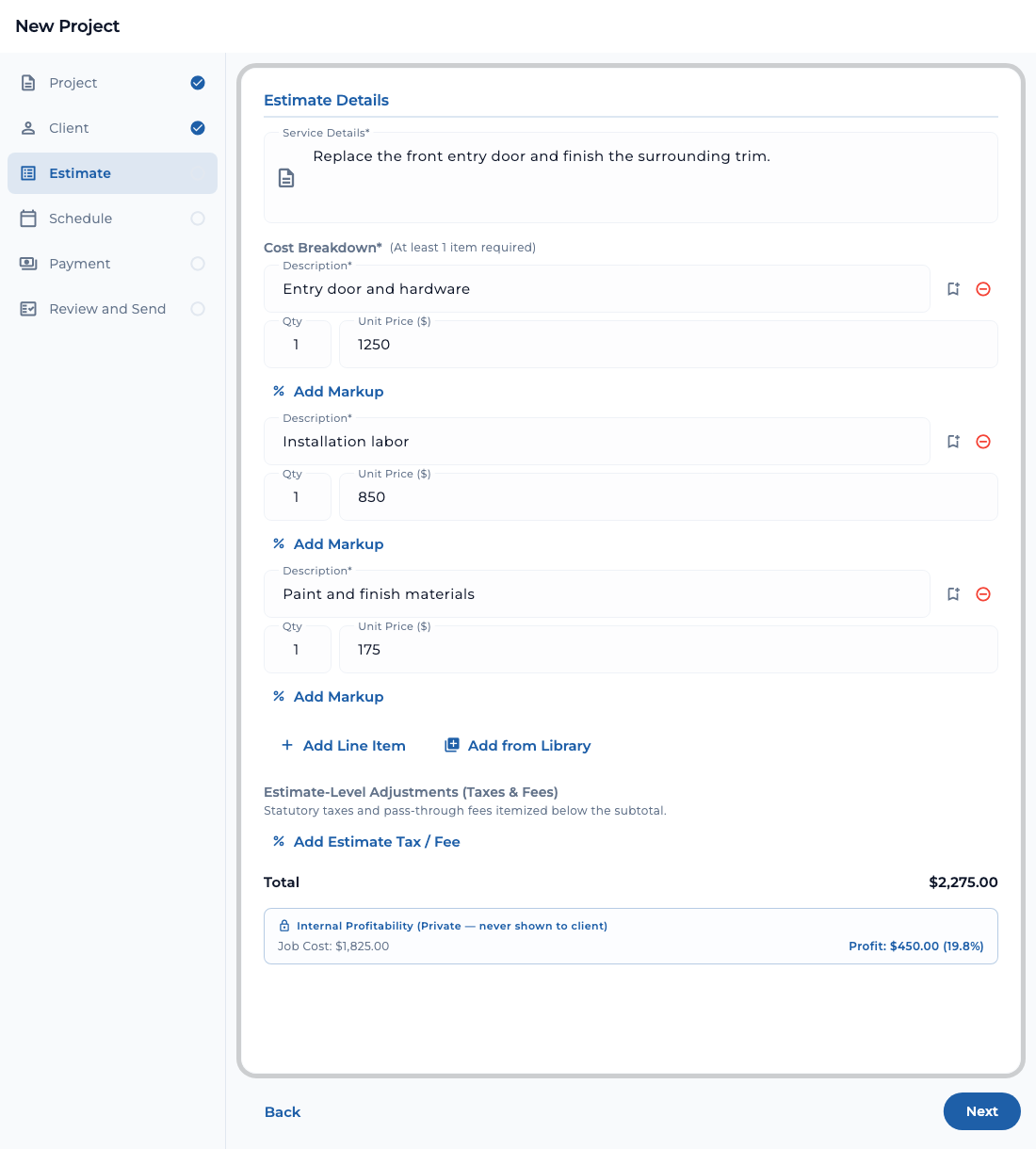
The company’s selected estimate template and branding are applied to the outgoing PDF. Review the finished document, then send it to the client’s email address. The email includes a PDF estimate and a link to view it online. You can view estimates across jobs and resend an estimate when needed.
If the client requests changes, review the request in the project, revise the proposal, and send the updated estimate for another decision. The project keeps the related request and decision history together.
For clients
Open the estimate from the email link or from your project in TaskTied. Review the line items, total, and any payment schedule. In the project’s proposal review, you can approve the proposal, decline it, or describe the changes you want.
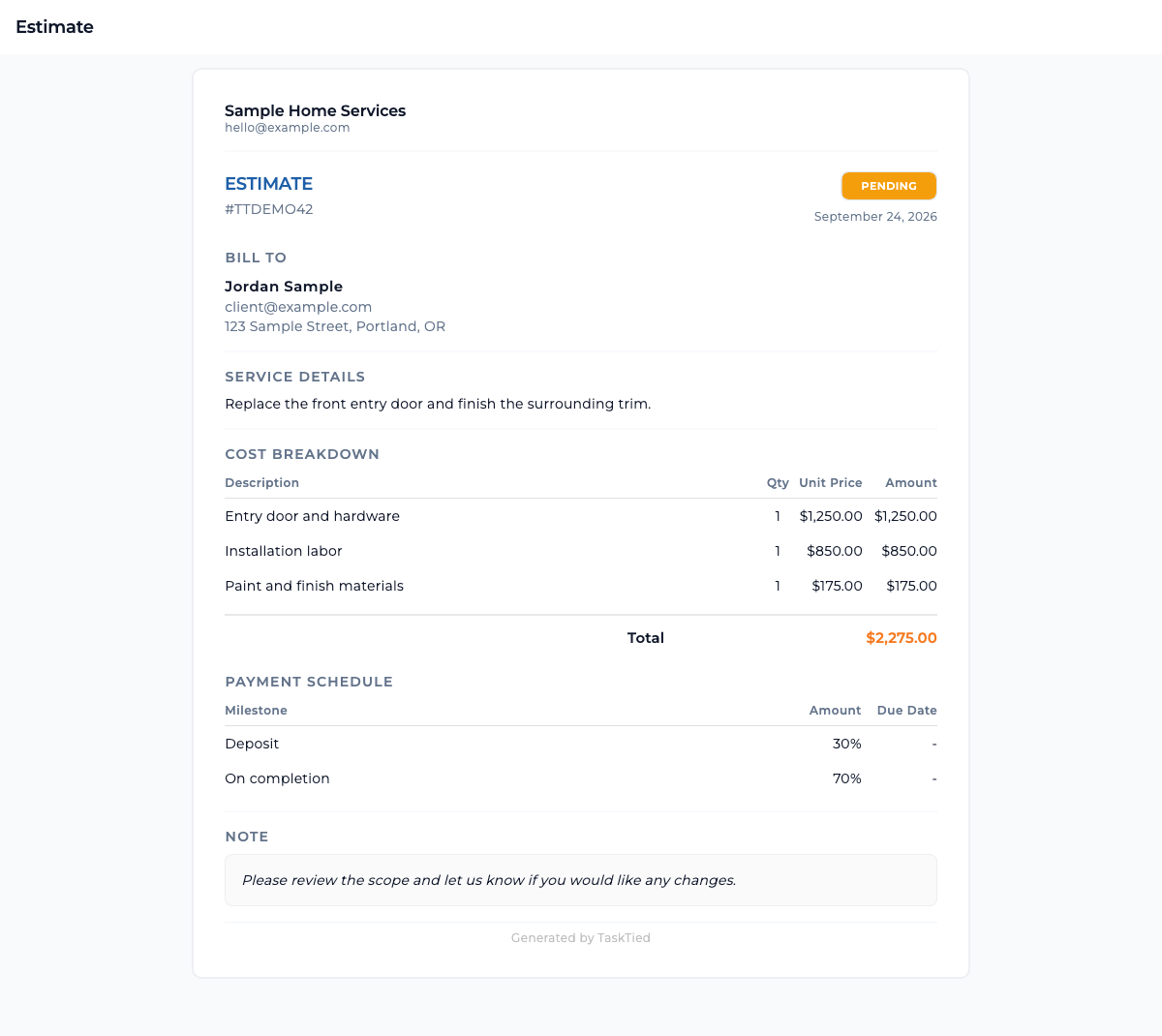
Approval includes an electronic signature and consent step. If you do not yet have an account, TaskTied asks you to claim one before approving and signing.
Once work is underway, clients can submit a project change request. That request has its own review and response flow, so a change to the job does not disappear into the original estimate.